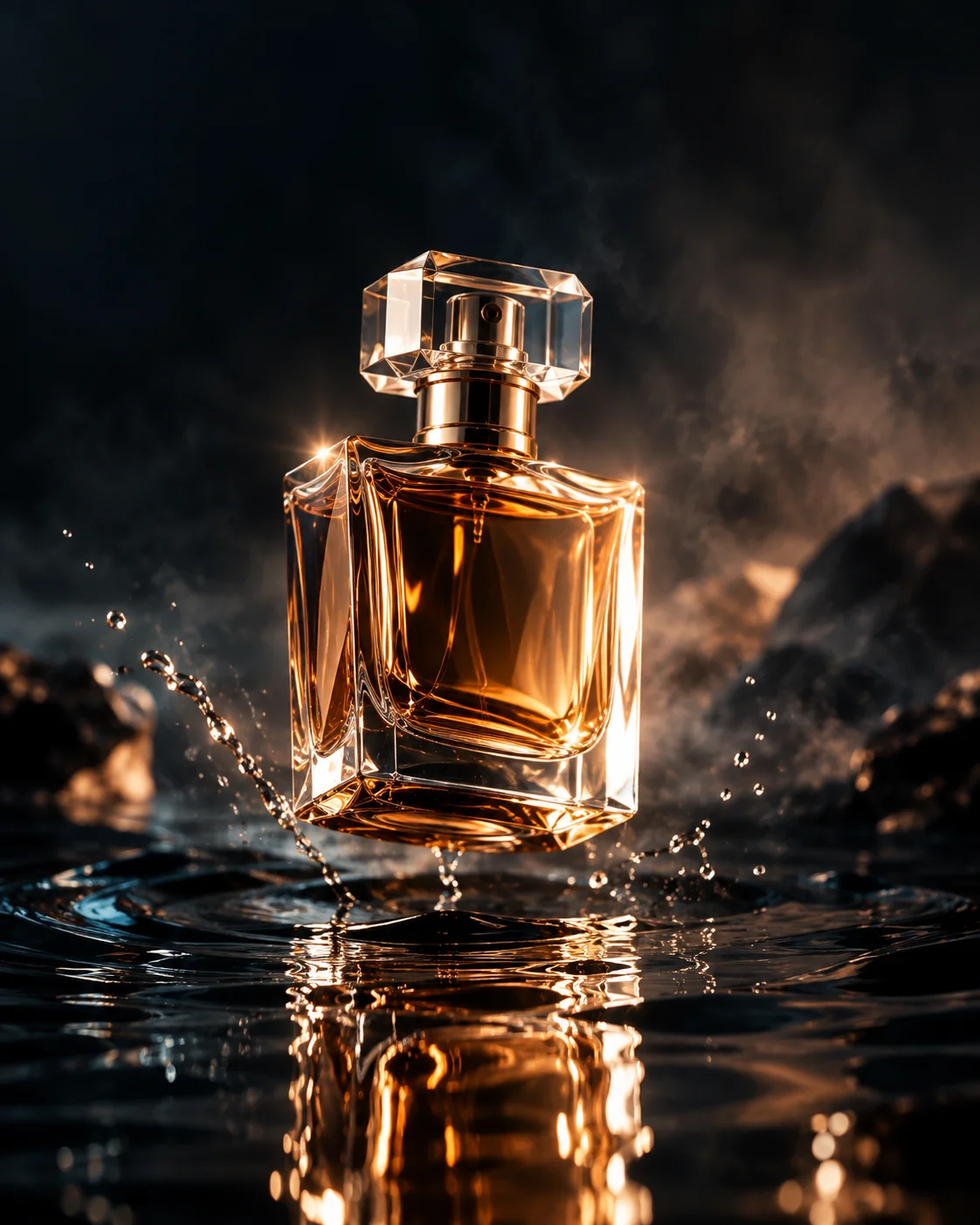
Luxury Perfume Product Photo
OpenAI GPT Image 2Ecommerce Product Photos
EXPLORE · RECREATE · CREATE
Explore AI image recipes that bring prompts, models, and results together. Make a recipe your own, compare model outputs, then save and share your work.
Browsing is open. Sign in to generate images or upload references. Generation uses credits based on your selected models and options. View pricing
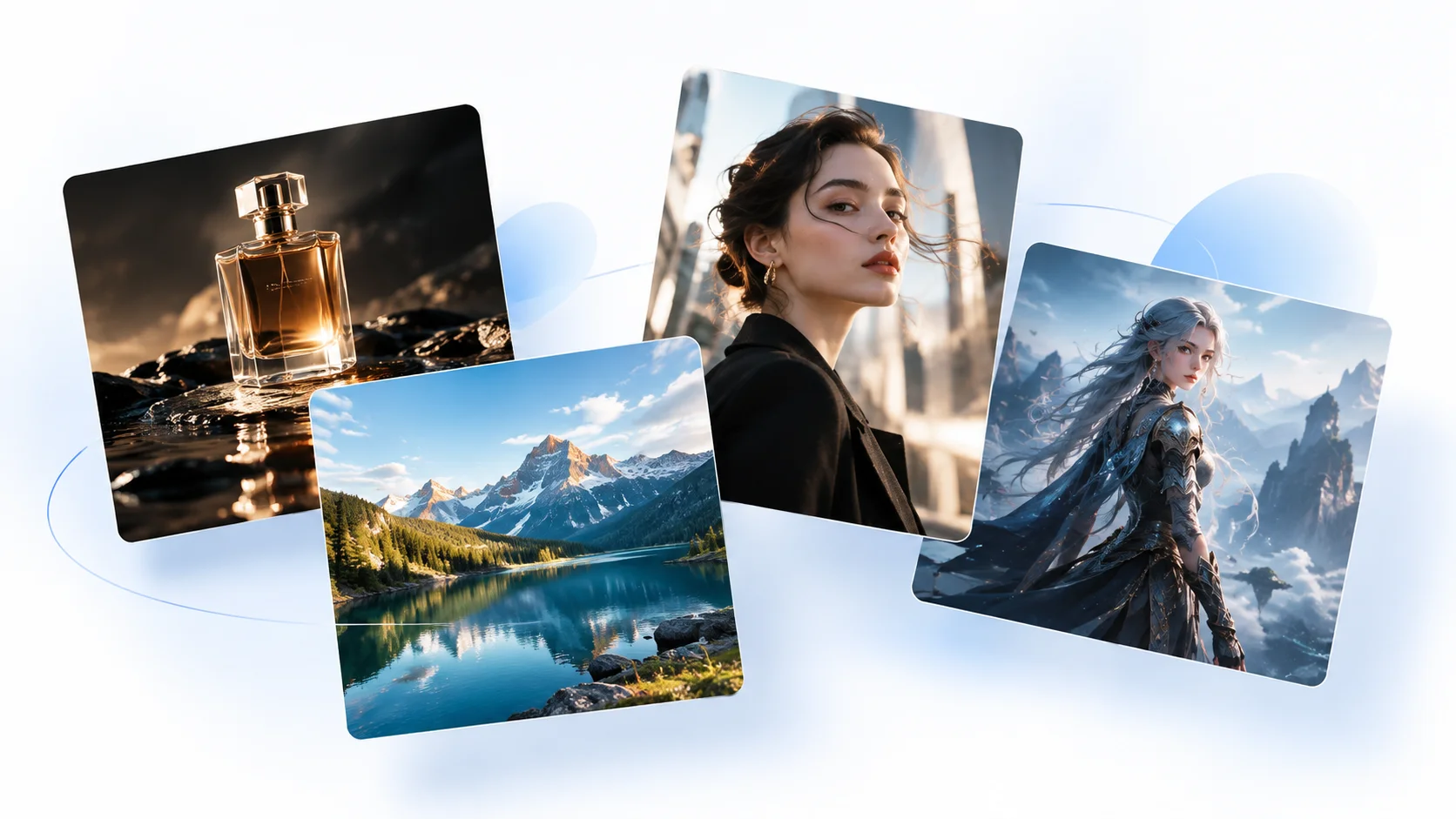
Prompt + Model + Result
Creative Editorial Collage
Create a premium editorial collage of four AI-generated photographs floating in a clean white studio space. The four images represent different creative categories: 1. luxury product photography, 2. cinematic fashion portrait, 3. dramatic landscape photography, 4. stylized fantasy character art. Each image should have a distinct visual identity but feel like part of the same premium creative platform. Arrange the images as slightly overlapping floating cards with subtle depth, soft shadows, and a sophisticated magazine-style composition. Bright white background, very soft blue atmospheric accents, minimal modern SaaS aesthetic, elegant art direction, clean composition, high-end creative technology branding. No text, no logos, no watermark. 16:9 composition.
OpenAI GPT Image 2
View recipeFind ideas for your next AI image. Open a recipe to see the prompt, models, and results behind it, then build on what you like.
See the words behind an image you like. Change the subject, style, or details to explore your own direction.
Luxury perfume bottle floating slightly above a dark reflective water surface, elegant glass bottle with a warm amber liquid inside, dramatic cinematic rim lighting, subtle mist, deep charcoal background, realistic reflections in the water, sophisticated luxury advertising photography, premium beauty campaign aesthetic, controlled studio lighting, extremely detailed glass and liquid, photorealistic, elegant composition, dark cinematic mood.
No visible brand logo, no text, no watermark.
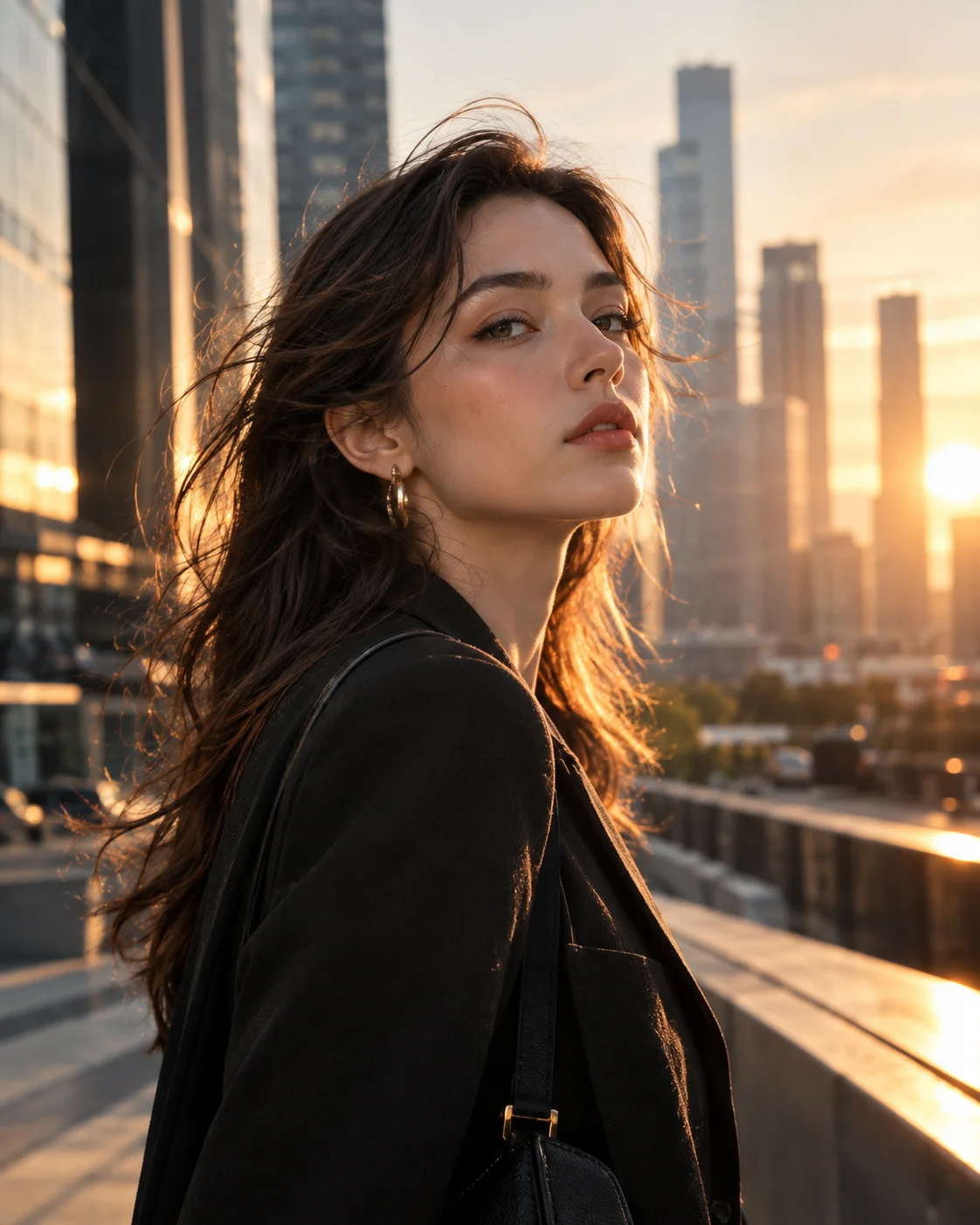
4:5 portrait composition.Luxury Perfume Product PhotoView prompt and recipe Editorial cinematic portrait of a stylish young woman standing in a modern urban environment at golden hour, natural skin texture, elegant contemporary fashion, subtle wind moving her hair, shallow depth of field, warm sunlight mixed with cool city shadows, sophisticated fashion magazine photography, cinematic color grading, realistic facial details, natural expression, premium editorial photography.
No text, no watermark.
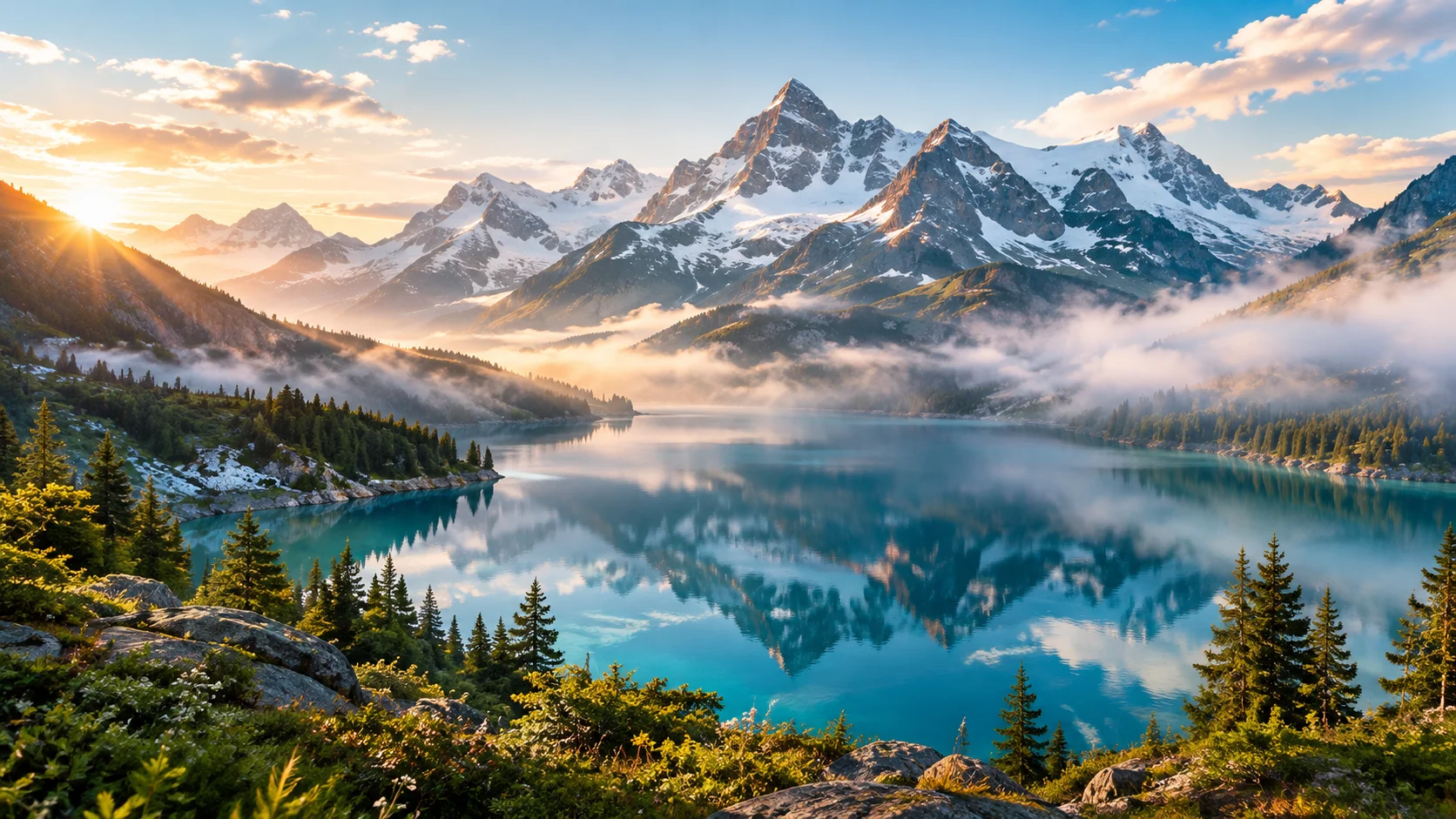
4:5 portrait composition.Cinematic PortraitView prompt and recipe Dreamlike alpine landscape with a crystal-clear turquoise lake surrounded by dramatic snow-covered mountains, soft morning mist floating above the water, warm sunlight breaking through thin clouds, lush green foreground, cinematic atmospheric depth, peaceful and immersive mood, ultra-detailed landscape photography, realistic natural lighting, premium travel editorial photography.
No people, no buildings, no text, no watermark.
16:9 landscape composition.Dreamy Alpine LandscapeView prompt and recipe FEATURED COLLECTIONS
Explore recipes grouped around what you want to create — social content, product imagery, and campaign ideas.
EXPLORE THE WORKFLOW
Use UnitPic as an AI image generator or AI image editor. Start with a prompt or a reference image, compare model outputs, and keep a recipe you can return to.
01 / 05
Describe your subject, setting, and style. Choose a model and generate a new image from your prompt.
Generate an imageRecorded recipe example
Luxury Perfume Product Photo
Luxury perfume bottle floating slightly above a dark reflective water surface, elegant glass bottle with a warm amber liquid inside, dramatic cinematic rim lighting, subtle mist, deep charcoal background, realistic reflections in the water, sophisticated luxury advertising photography, premium beauty campaign aesthetic, controlled studio lighting, extremely detailed glass and liquid, photorealistic, elegant composition, dark cinematic mood.
GPT Image 2 · 1024x1280
View recipeReference-image support varies by model. Sign in to upload references or generate images, and check the credit cost before each run.
Browse an image you like and open its recipe, or write your own prompt in Create. Choose the models you want to try.
Change the prompt or add a reference image with a supported model. Check the credit cost, then generate and compare your results.
Save your prompt and model selection for later. Add results to your recipe, and publish a share link when you want others to see it.
UnitPic brings creative prompts, model choices, and image results into one recipe workflow. Explore a starting point, compare outputs from the models you select, and save your own recipe for later.
An AI image recipe combines a prompt with model choices and image settings. Published recipes can also show results, so you can see what was made and explore the method behind it.
Recipes give you a starting point you can return to. Reuse or change a prompt, compare different models, and build on what you learned. Running the same recipe again can produce different images.
UnitPic is for people exploring ideas through images — designers, marketers, store owners, and individual creators. Start with a recipe or your own prompt, then judge the results against your project.
Open the AI image generator, enter a prompt, and select the models you want to compare. Sign in, check the estimated credits, and choose Generate & Compare. Review each result as it arrives.
Open the AI image generatorIn the studio, first select a model that supports reference images. Upload your image, describe what you want to keep or change, and generate a result. Uploading references requires sign-in, and supported options vary by model.
Explore the AI image editorUnitPic offers 29 image models. Their supported inputs and options vary, so check the model catalog for reference-image support and credit costs.
Browse image modelsYou can browse public recipes without signing in. Sign in to generate images, upload reference images, or save recipes to your workspace. Generation uses credits based on the selected models and options; check the estimate before you run.
View pricingExplore a recipe, compare your options, and save a starting point for your next creation.