Recipe Details
- Prompt
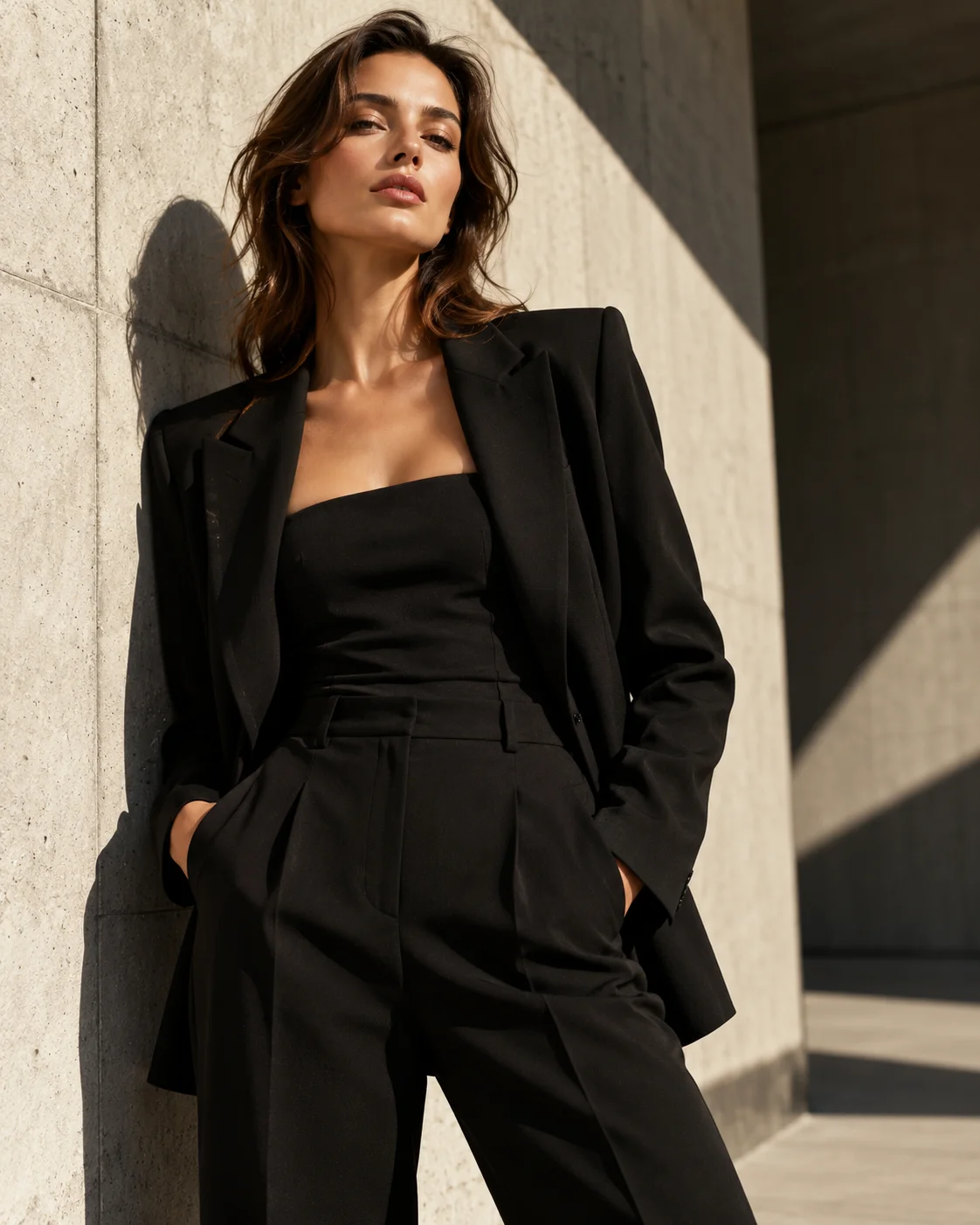
High-end fashion editorial photograph of a stylish woman wearing a minimalist black tailored outfit, standing against a clean architectural concrete background, dramatic directional sunlight creating geometric shadows, sophisticated pose, natural skin texture, subtle film grain, luxury fashion magazine aesthetic, cinematic composition, muted neutral palette, photorealistic.

No logos, no text, no watermark.

4:5 portrait composition.
- Model
- GPT Image 2
- Aspect Ratio
- 4:5
- Resolution
- 1122 × 1402
- Reference Images
- Not used
- Settings
- Default
This fashion recipe pairs the original prompt with its GPT Image 2 result. Start with the recorded composition and lighting, then remix the subject or mood to suit your own project. Additional model results can be generated from the same prompt in Studio.
By the UnitPic editorial team
Prompt Template
High-end fashion editorial photograph of a stylish woman wearing a minimalist black tailored outfit, standing against a clean architectural concrete background, dramatic directional sunlight creating geometric shadows, sophisticated pose, natural skin texture, subtle film grain, luxury fashion magazine aesthetic, cinematic composition, muted neutral palette, photorealistic.

No logos, no text, no watermark.

4:5 portrait composition.
Model Combination
The published result was generated with GPT Image 2. Use the original prompt to create another interpretation, or select additional models in Studio to compare their results. Generation costs depend on the model and quality setting you choose.
How to Judge the Results
Judge each Architectural Fashion Editorial result on the four points below — they separate a usable render from a pretty one in under a minute.
Tailoring detail
Check the garment seams, folds and silhouette for believable construction.
Lighting consistency
Check that highlights and shadows follow the lighting direction described in the prompt.
Composition
Preserve the requested framing and a clear focal point when remixing this scene.
Full-size inspection
Inspect small details and edges at full resolution before using the result in a campaign.
How to Run the Architectural Fashion Editorial Recipe
- 1Use this recipe to open Studio with the original prompt, model and aspect ratio already selected.
- 2Keep the prompt as written, or remix its subject, lighting and composition. Add models if you want a side-by-side comparison.
- 3Generate, inspect the result against the checks below, then save your version as a new recipe.
Recipe FAQ
Which model made the published result?
The image shown here was generated with GPT Image 2 using the recorded prompt. Results from other models are only shown after they have been generated.
Can I change this prompt?
Yes. Remix the recipe to change the subject, lighting, mood or composition. Your version is saved separately from this editorial recipe.
Will another generation look identical?
No. The prompt records the creative direction, but generation is variable. Use the published image as a reference for composition and inspect the new result before using it.